
- Home
- Introduction
- Downloads
- Example
-
User Guide
Index
 System requirement Installation Memory configuration, reducing memory usage Updating annotation databases Main user interface Data inputs Creating a project Annotating a project Using user annotation track [GFF3/BED] Analyzing a project Selecting genes or regions Exome or targeted capture sequencing A command line tool Version history Updating to the latest version FAQ Requests & discussions License
- Screenshot
- Java Dev
- Plug-ins
- Visitors
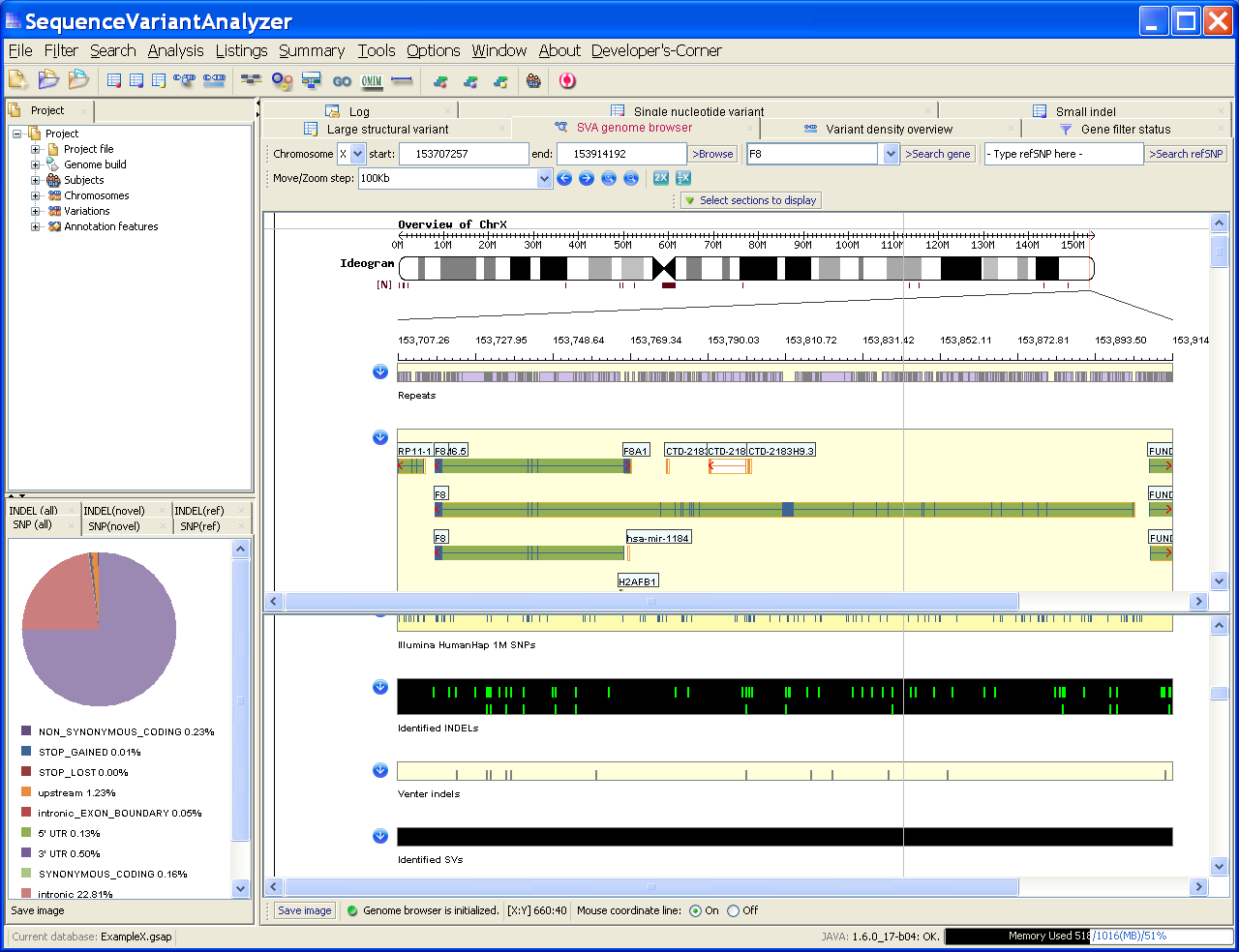 Screenshot on a Dell laptop with 32-bit Win XP
Using this software
0. For impatient users1. Data inputs
Coordinate system2. Create a project
3. Annotate a project
Functional categories Using user annotation track4. Filter for quality scores
5. Main user interface
6. SVA genome browser
Sections overview Identified variants Public data7. SVA tables
SNV INDEL SV8. Selecting genes or regions
Gene symbol Bio-type Bio-pathway or GO OMIM disorder Genomic region9. Analysis
Gene prioritization Variant prioritization Fisher's exact test10. Exome or targeted capture sequencing
A command line tool
FAQ
Requests and discussions


The main interface of SVA
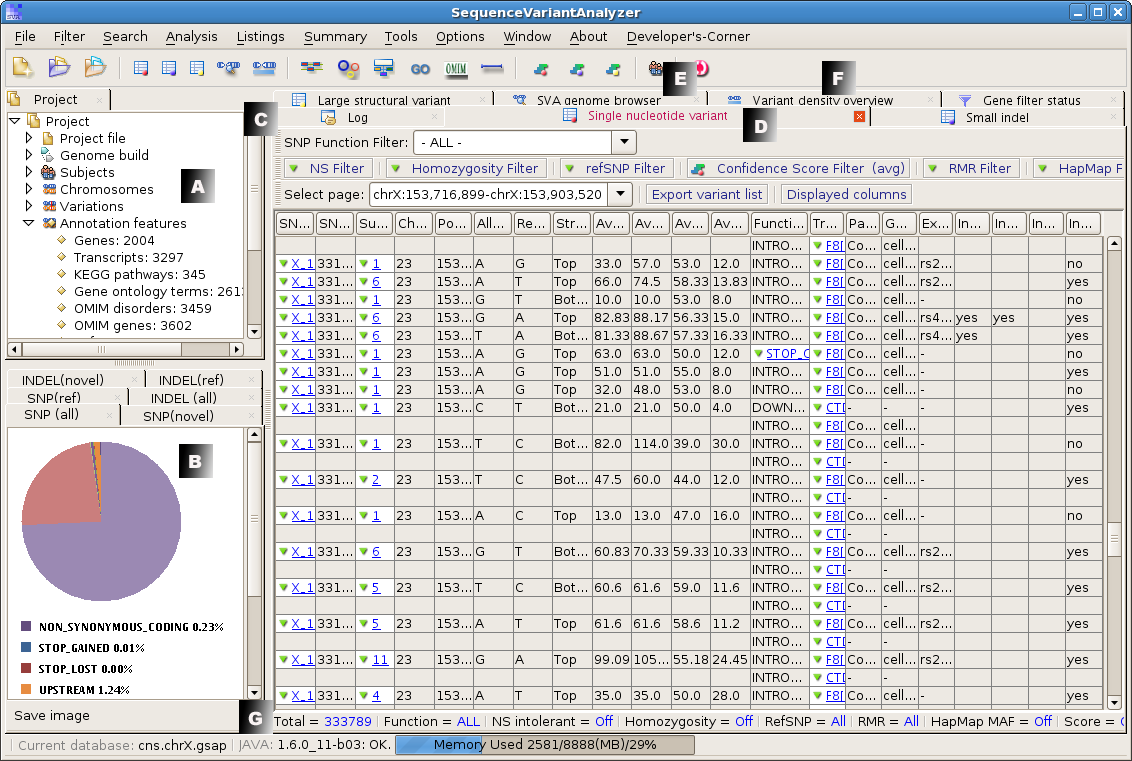
The main user interface of SVA is divided into several panels, as illustrated in the figure below:
- A: The project panel summarizes the current SVA project, including the information on the subjects and the annotation databases, etc.
- B. The pie chart panel provides a brief summay on the functional composition of the SNVs and INDELs identified.
- C. The log panel keeps a track of the tasks performed, and sometimes is used to briefly output analytical results.
- D. The SVA tables separately list annotated single nucleotide variants (SNVs), INDELs, and structural variants (SVs). These tables also respond to different filters that the users may apply.
- E. The SVA genome browser graphically displays genomic features and identified variants, and allows the user to interact with these data for more details or navigating to external resources.
- F. A variant density overview across the genome.
- G. Status bars display the current status of the program and the currently active SVA table.
| Visits: |
© 2011
© 2011